
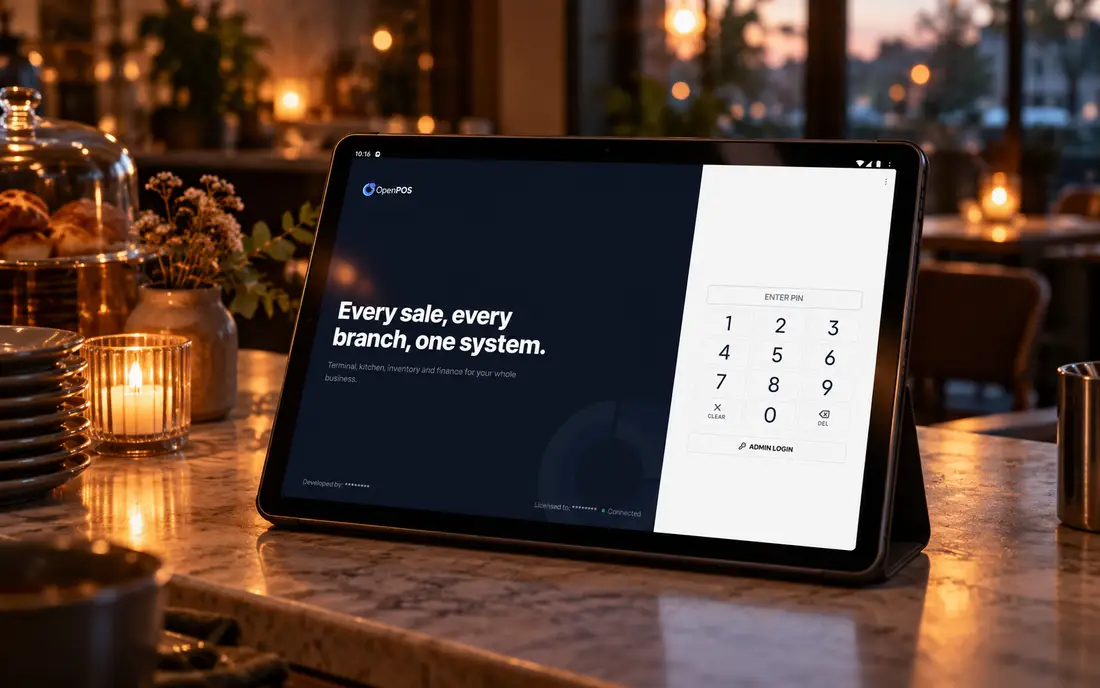
Ask any restaurant owner about the worst twenty minutes of their week and you will hear the same story: a full floor, the internet gone, and a cloud POS showing a spinner while the floor manager starts writing orders on a notepad. Offline POS software exists to make that evening impossible. The whole point is that when the connection dies, nothing on your floor notices.
What offline POS software actually means
Offline POS software runs the point-of-sale system on a server inside your restaurant, not on a distant server it has to reach over the internet. Because the software and its database live in your building, an internet outage is simply not part of the billing path. You take the order, print the kitchen ticket, send it to the kitchen display, deduct the ingredients from stock and close the bill, all locally, at full speed, whether the router is on or off.
That matters anywhere connectivity is a variable rather than a given. In Pakistan it is load-shedding, fibre cuts and mobile data dropping out mid-service. In Australia it is an NBN outage on a Friday night or a shopping-centre site where the signal never reached the back of the kitchen. Offline-first software treats a working connection as a bonus, not a requirement, which is the right assumption for any restaurant that cannot afford to stop serving.
Real offline vs "offline mode"
Almost every cloud POS now claims an "offline mode". The phrase covers two completely different things, and only one of them keeps a restaurant open.
It queues a handful of actions and assumes the line returns in seconds. In a real outage the cache fills, billing freezes, kitchen tickets stop printing and the kitchen display goes blank.
- Cash drawer and reports never reconcile
- Your data still lives on someone else's server
A complete backend runs on a server inside your restaurant, so service continues for hours or days and then reconciles itself when the line returns, no cache to fill, no ceiling to hit.
- Billing, KOT, KDS, inventory and reports all live
- Event-sourced sync, no overwrites, no lost orders
The tell is in how the two are built. A cloud POS with a bolted-on cache is still a cloud POS; offline is a fallback it hopes not to use for long. True offline software is designed the other way round, it runs locally by default and reaches the network only to sync. Here is what that means at the moment the line drops:
| When the internet dies | Cloud-only POS | SureTill |
|---|---|---|
| Billing | Freezes or falls back to a limited cache | Unchanged, full billing from local data |
| Kitchen display & KOT | Usually stops; kitchen reverts to paper | Keeps printing and displaying normally |
| Inventory deduction | Suspended, then estimated afterwards | Deducts live, per recipe, as normal |
| Reports at closing | Incomplete; cash rarely reconciles | Complete, from the local server |
| Where your data lives | The vendor's server, by design | Your building, cloud mirror optional |
How true offline POS software works
SureTill is built in three layers, and only the top one ever touches the internet. Most vendors put the brain in the cloud and a thin client in your restaurant; this inverts it, so the brain is in the building and the cloud is a convenience you can switch off.
Windows, Linux, Android or browser. Finds the in-store server automatically, takes orders, prints receipts and KOTs, drives the kitchen display.
An on-site server or the SureTill desktop app, with the full backend and local database. Keeps every terminal consistent, deducts recipe stock and holds the branch's full history.
Multi-branch dashboard, off-site backups and remote access for owners. Switch it off and the floor does not notice.
When the connection comes back, the terminals reconcile through event-sourced sync. Rather than one device overwriting another, every action is recorded as an event and replayed in order, so two terminals that both took orders during an outage merge cleanly with nothing lost or counted twice. That is the mechanism that lets a busy floor trade through a blackout and still balance the cash drawer at closing, and it is why SureTill runs across three Flavourz branches in Lahore at over a thousand orders a day each.
Offline POS software for a Windows PC
Yes, you can run a full offline POS on an ordinary Windows PC. SureTill runs on Windows, Linux and Android terminals, so the counter PC or all-in-one touchscreen you already own can be the till, with a thermal printer on USB, LAN or Bluetooth beside it. Add an Android tablet for the floor or a second screen in the kitchen and they all work as one system on your local network.
People often search for a free offline POS download for PC. A free download can work for a single counter, but a restaurant usually needs more than the installer: the menu built properly, printers routed to the right stations, recipes linked to stock, and someone to call when something goes wrong mid-service. That is why SureTill is installed and set up with you, a one-time setup and training fee plus a flat monthly fee, never a cut of your sales. The pricing page explains how a quote is put together.
Three evenings offline has already survived
These come from our own branches at Flavourz, not a marketing scenario. In each one, nobody on the floor found out the internet had gone.
Sixty covers seated, twelve orders in the kitchen, the line down for two hours. Service, printing and payments carry on.
The in-store server comes back with every order intact and terminals find it automatically. No re-entry of orders.
One PC running the SureTill desktop app is a complete POS, server included, no signal needed.
Self-hosted: own the software and the data
If you have been burned by a vendor going quiet, or you trade somewhere connectivity was never realistic, you can run the whole thing on your own hardware. Terminals and the local server sit on your equipment, your database never leaves your building, and you can export your data at any time. Self-hosted and cloud-mirror setups run the same software; the only difference is whether a copy also lives off-site.
The unplug-the-router test
You do not need to take any vendor's word on offline capability, including ours. There is a thirty-second test that settles it, and it is the most useful thing you can do before signing anything.
- During the demo, physically unplug the router or switch off mobile data.
- Take a new order and add a few items with modifiers.
- Print a kitchen ticket and confirm it reaches the kitchen display.
- Close the bill and take a payment.
- Reconnect and watch the queue drain and the reports reconcile.
If any step stalls with the internet off, that is not offline POS software, it is a cloud POS with a cache, and it will fail you on the evening you most need it. One honest exception: delivery-app orders, such as those from Uber Eats, travel over the internet, so new app orders need a connection to arrive; everything already in the building keeps working. When you are deciding what else to switch on around the offline core, the full feature list lays out the modules, and the kitchen display guide covers why the kitchen screen should never depend on the internet.
Book a free thirty-minute demo and we'll take a live order, then disconnect the internet and keep billing, printing and cooking in front of you, then reconnect and show the queue drain. Bring your hardest questions.
Book a free demoFrequently asked
What is offline POS software?
Software that runs the full point-of-sale system inside the restaurant itself, so it keeps working with no internet. Billing, receipt and kitchen printing, the kitchen display and inventory all continue during an outage, and the data syncs when the connection returns, unlike a cloud POS, which depends on a live link to a remote server.
What's the difference between offline mode and true offline?
Many cloud systems advertise an offline mode that only caches a few actions before it gives up, so billing freezes and the kitchen goes blind. True offline runs the whole backend inside the restaurant, so you can trade for hours or days and reconcile later. Test it by unplugging the router and trying to close a bill.
Can I run offline POS software on a Windows PC?
Yes. SureTill runs on Windows, Linux and Android terminals, so an ordinary Windows PC or all-in-one at the counter can be a complete offline POS. It is installed and set up with you, together with your printers and menu, rather than handed over as a bare download.
How long can SureTill run offline?
Indefinitely. There is no countdown and no degraded state. The in-store server keeps every terminal running and syncs with the cloud mirror, if you use it, whenever the network returns, an hour later or a week later.
Do I lose or duplicate orders when the internet returns?
No. SureTill uses event-sourced sync: every change is kept as an ordered log of events rather than overwriting records, so merges are deterministic and nothing is lost or double-counted when the connection returns.
Can I self-host SureTill on my own hardware?
Yes. Terminals and the local server can run on your own equipment with no cloud component at all, so your database never leaves your building. You give up the remote dashboard and off-site backup unless you provide your own; everything else is identical.
Written for restaurant and cafe owners. Offline behaviour varies by vendor, always test with the internet physically disconnected before you buy.