
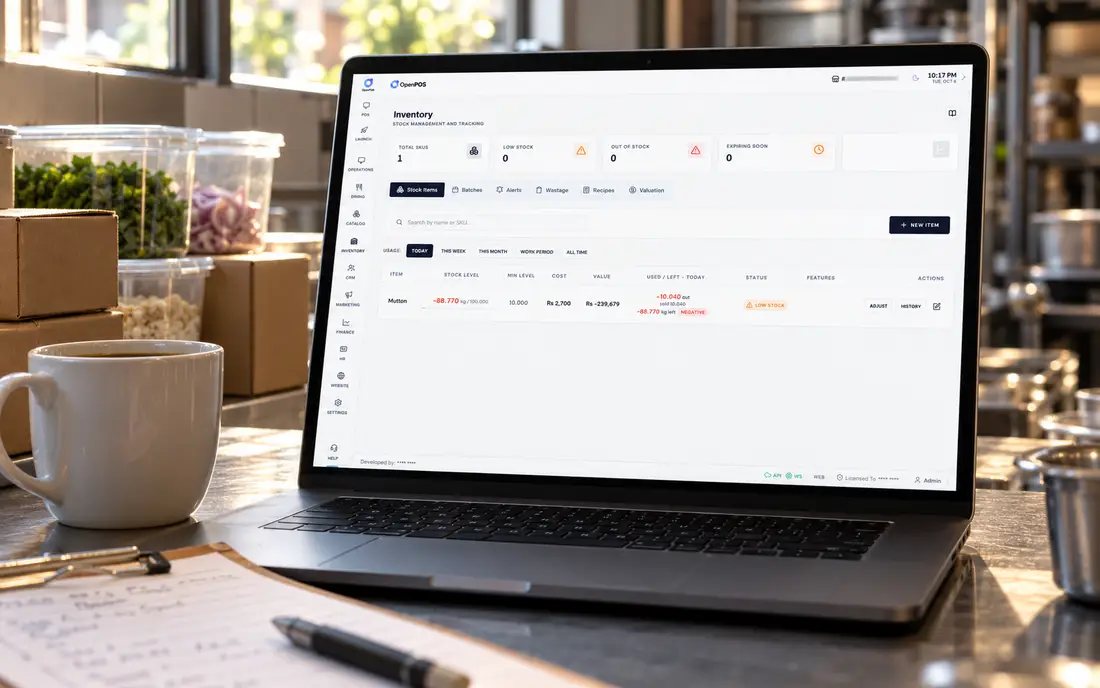
Here is the uncomfortable truth about buying restaurant management software: the demo is the least useful part. Every system demos beautifully on a quiet laptop with a perfect connection and three test items. Your restaurant is none of those things. The job of this guide is to help you judge software the way your restaurant will actually use it, busy, offline sometimes, across a real menu and real delivery channels.
What restaurant management software is
Restaurant management software is the system that runs the operational side of the business, everything from the moment an order is taken to the moment it shows up in your end-of-day report. People often use "restaurant POS" and "restaurant management software" interchangeably, and that's roughly fair: the point of sale is the core, and the management software is the POS plus everything a restaurant needs bolted into the same platform.
The distinction that matters is not the label but the scope. A billing-only POS takes orders and payments. A management platform also drives the kitchen, controls stock, takes delivery orders, tracks customer credit and reports across branches. When those live in one system, an order entered once flows everywhere. When they don't, you spend your evenings copying numbers between apps.
The eight modules that matter
Ignore the hundred-item feature checklist. In practice, restaurant management software stands or falls on eight things.
Fast order entry, modifiers, splits, discounts, multiple payment methods, work periods and a cash drawer that reconciles. This is used more than anything else, so speed and clarity here matter most. See the full module list.
Floor plans, table status, moving and merging tables, and dine-in, takeaway and delivery in one flow. The heart of full-service operation, covered on our restaurant POS page.
Orders routed to the right station on screens or thermal tickets, with live timing. If you're new to this, start with what a kitchen display system is.
Ingredients deducted at kitchen-send, waste and expiry, and real-vs-theoretical variance. The single biggest lever on profit, see how recipe inventory stops food-cost leakage.
Delivery zones and rider settlements, QR table ordering, your own online storefront, and delivery-app orders such as Uber Eats landing straight in the kitchen instead of on a separate tablet.
Credit limits, running balances, prepaid wallets and printed statements, a paper register replaced properly. See the khata & credit page.
Each branch runs independently while one dashboard shows them all, with roles, permissions and audit logs throughout.
The one that decides whether all of the above works when the connection doesn't. Detailed on our offline POS page.
Why one system beats five that "integrate"
A common trap is buying a billing app, a separate inventory tool, a separate delivery tablet and a reporting dashboard, all promising to "integrate". Integrations are where data goes to get lost. Every hand-off is a chance for a mismatch, a sync failure, or a number that's right in one place and wrong in another. On a busy night nobody has time to reconcile four systems.
When the POS, kitchen display, inventory and credit are one system, an order is a single object that everything reads from. The waiter's tap deducts the stock, fires the kitchen ticket and updates the report, because they're the same event, not three events stitched together. That's the quiet advantage of a unified platform, and it's why we built SureTill as one system rather than a bundle of apps.
Whatever you choose, make sure your data is exportable and, ideally, that the system can be self-hosted. Your sales history, recipes and customer ledger are among your most valuable assets, they should never be locked inside someone else's cloud with no way out.
The reliability question most buyers skip
Almost everyone evaluates features and almost nobody tests reliability, which is backwards. A feature you use occasionally being slightly better is worth far less than your entire system staying up during dinner service. Whether it is load-shedding in Lahore or an NBN outage in Melbourne, this is the difference between a normal Saturday and a disaster.
The distinction to understand is offline mode versus offline-first. Offline mode is a cache on a cloud system that remembers a few actions then gives up. Offline-first means the whole system runs on your own hardware and never needed the internet. SureTill runs a full backend on a server inside your restaurant, so billing, kitchen tickets and inventory all keep running with no connection, then sync to the optional cloud when the line returns. It's the same model that keeps Flavourz trading through outages that would freeze a cloud-only rival.
How to actually choose
Work in this order and you'll avoid most regrets. Start by matching the software to how you serve: a full-service kitchen, a quick-serve cafe, a multi-brand cloud kitchen and a retail counter want genuinely different things, so read the industry-specific setup rather than the generic homepage. Only then compare the nice-to-haves.
Insist on a real demo of the hard parts, not the easy ones. Ask to see billing with the internet unplugged. Ask to see the inventory deduct on a live order. Ask to see how a split bill, a void, and a credit payment behave. And weigh support heavily: when something breaks at 9pm you want a human on WhatsApp, not a ticket queue in another time zone. Pricing comes last, a system that fails you costs more than any licence, so compare on value, not headline price.
Restaurant management software in Australia
For an Australian restaurant, cafe or takeaway, three questions come first. Does it keep trading when the NBN drops? Do Uber Eats orders land straight in the kitchen, or on yet another tablet on the counter? And who sets it up and answers the phone? SureTill runs offline-first, integrates with Uber Eats through the official Uber Eats API, accept, reject and mark ready from the POS, with menu and prices managed in one place, and comes with remote setup and support. It is in production at Meadow Heights Lebanese Bakery in Melbourne, a bakery and takeaway. For card payments, ask us about your payment terminal before you assume any POS supports it.
Restaurant management software in Pakistan
In Pakistan the checklist is different again. The system has to bill through load-shedding without a spinner, keep a proper khata for regulars with WhatsApp reminders, print Urdu and English receipts, and settle cash with delivery riders at the end of a shift. SureTill was built inside Flavourz in Lahore, a three-branch restaurant, cafe and lounge doing more than 1,000 orders per branch a day, and runs on the Windows PCs and Android devices most outlets already own. The restaurant POS software in Pakistan guide covers the local setup, and the price guide explains what it costs.
Five questions that expose a weak system
A confident vendor answers all five on a live screen without flinching. A weak one changes the subject back to the feature list. That difference tells you more than any comparison chart, because it tells you how the software behaves on your worst night rather than their best.
Book a free 30-minute demo and ask all five. We'll bill offline and deduct stock live, just the awkward parts on screen.
Book a free demoFrequently asked
What is restaurant management software?
The system that runs a restaurant's operations: POS billing, table management, kitchen display and tickets, recipe inventory, delivery and online orders, customer credit and multi-branch reporting. Modern platforms combine these so an order flows from the floor to the kitchen to your reports without re-keying.
Restaurant POS or restaurant management software, what's the difference?
A POS is the billing layer; restaurant management software is broader, adding the kitchen display, inventory, delivery, credit and reporting around it. In practice a good restaurant POS is the core of a management platform rather than a separate product.
Should it work offline?
Yes, especially where power or internet is unreliable. Offline-first software runs the full system on your own hardware so billing, kitchen tickets and inventory continue through an outage. SureTill runs on a server inside your restaurant for exactly this reason. See how
How much does restaurant management software cost?
Usually a one-time setup and training plus a monthly fee, varying by branches and terminals. SureTill charges a one-time setup and training fee plus a flat monthly fee, with no cut of your sales, book a free demo for a quote tailored to your setup.
What should restaurants in Australia and Pakistan look for?
In Australia: trading through NBN outages, Uber Eats orders without an extra tablet, and remote setup and support. In Pakistan: billing through load-shedding, khata for regulars, Urdu receipts and rider settlements. SureTill is live in both countries on the same offline-first core.
General guidance for restaurant owners, written from experience running a working three-branch restaurant. Tax and record-keeping rules vary by country, confirm your own with a qualified adviser.