
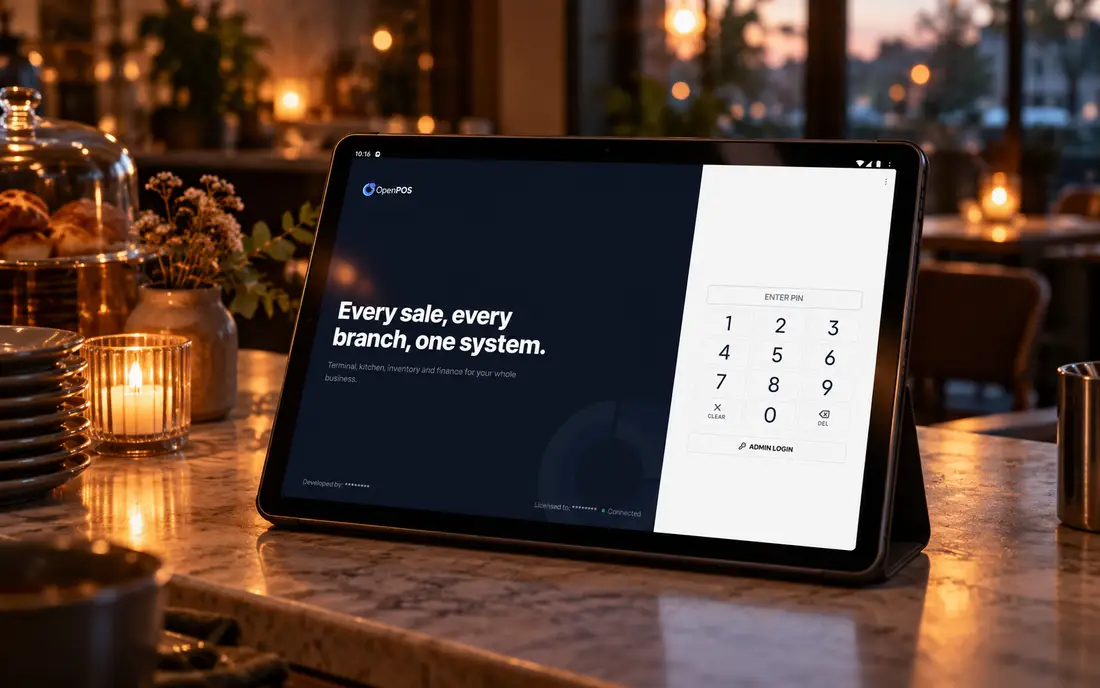
When the NBN drops in the middle of service, two different things can break: taking payments and taking orders. People search "does EFTPOS need internet" because they are worried about the first. In our experience it is the second that empties a dining room, because the kitchen stops getting dockets.
Does EFTPOS need internet?
Short answer: a card terminal needs a connection to approve a payment in real time, but it does not always need your internet. Many EFTPOS terminals in Australia have their own mobile data (a SIM) or can fall back to it when the shop's NBN or Wi-Fi drops, so card payments often keep working when the rest of the shop goes quiet.
Where that backup does not exist, or the mobile network is also down, some terminals can still take certain card payments in an offline or fallback mode. The transaction is stored on the terminal and sent to the bank once the connection returns. The catch is that it has not been approved yet, so if the card is later declined, the business usually carries the loss. Banks and providers set their own limits and rules for this, so ask yours exactly how their terminal behaves, and what you are liable for, before you rely on it.
So the honest answer to "does EFTPOS need internet" is: it needs a connection to approve payments safely, it may have its own, and anything it does without one is a risk you are choosing to take.
Your card terminal and your POS are two different systems
Your card terminal takes the money. Your POS takes the order. They fail in different ways, and most outage horror stories come from mixing the two up.
The terminal talks to your bank or payment provider. The POS records what was sold, sends the order to the kitchen, prints the docket, tracks the table and deducts stock. In many venues the two are linked, so the order total is pushed to the terminal and the result comes back. In many others they are separate, and staff key the amount into the terminal by hand.
When the NBN drops, the question is not only "can we still take cards?" It is "can we still take orders, get them to the kitchen and know what each table owes?" A terminal on 4G does not help you if the POS itself is a web app that has just lost its server. You end up with a working card machine, a frozen order screen and a kitchen waiting for paper dockets someone is writing by hand.
This is why it is worth asking two separate questions when you buy: how does the payment side behave offline, and how does the ordering side behave offline? The answers are often very different.
What actually stops when the NBN or internet drops?
It depends on where the POS keeps its brain. If the system lives in the cloud, most of it stops. If it lives in your restaurant, most of it keeps going. Here is the same outage on three common designs.
| During the outage | Cloud-only POS | POS with an "offline mode" | Offline-first POS |
|---|---|---|---|
| Taking new orders | Usually stops, or only works in the browser tab already open | Works for a limited set of actions | Works as normal |
| Kitchen dockets and KDS | Often stops, because routing runs on the server | Varies; check whether the kitchen screen keeps updating | Keeps printing and updating locally |
| Open tables and bills | May be unavailable until it reconnects | Usually kept on the device that took them | Kept on the local database, visible to other terminals on the local network |
| Stock deduction | Waits for the server | Often queued for later | Happens at kitchen-send, as normal |
| Reports | Unavailable | Unavailable or partial | Local reports available; cloud copy updates later |
| Card payments | Depends on the terminal, not the POS | Depends on the terminal, not the POS | Depends on the terminal, not the POS |
Notice the last row. No POS design changes how your card terminal behaves. What the POS controls is everything else: orders, the kitchen and stock. That is where a dropped connection does the most damage on a busy night.
Square offline mode and other "offline modes": what do they cover?
Most "offline modes" are a safety net for payments and a short list of actions, not a full working system. That is useful, but it is worth knowing where the net ends.
Square is a good example because so many Australian cafes use it. Square offers an offline payments option for card payments: the payment is stored on the device and processed when the connection comes back, within a time window Square sets. If a stored payment is declined when it is finally processed, Square's terms put that risk on the seller. Square's documentation also lists which payment types and features work offline. Read Square's current help pages for the exact limits, because they change.
Other cloud POS systems describe their offline modes in similar terms. Some keep order-taking working on the device that lost its connection but stop sharing orders between devices. Some keep the counter going but the kitchen screen goes stale. None of that is wrong. It is just a different promise from "the whole restaurant keeps running".
When a vendor tells you their POS "works offline", ask three follow-up questions: which actions work, on which devices, and for how long? Then ask them to show you, with the router unplugged.
How is an offline-first POS different?
An offline-first POS does not switch into a special mode when the internet drops, because it never depended on the internet in the first place. The whole system runs inside your restaurant, and the cloud is an optional copy.
That is how SureTill is built. It runs on a server inside your restaurant, either an on-site server or the SureTill desktop app on Windows or Linux, with a full backend and local database. When a waiter sends an order, the docket prints at the right station or appears on the kitchen display, and the recipe ingredients are deducted from stock, all locally. Windows, Linux, Android and browser terminals on your local network find that server automatically and share orders through it. If you use the optional cloud mirror, every change is recorded as an event and synced up when the connection is back, so nothing is retyped and nothing is lost.
In practice, when the NBN drops on a Friday night, the floor and the kitchen do not notice. Billing, kitchen tickets, the KDS and stock deduction carry on. The owner's phone dashboard catches up a few minutes after the line returns. You can see the full design on our offline POS page.
Ask any POS vendor to unplug the internet in the middle of a sale, send an order to the kitchen and close a bill. If they will not do it live, you have your answer.
What still needs the internet, even on an offline-first POS?
Anything that comes from outside the building needs a connection. Being honest about that is part of choosing well.
- New delivery orders. Uber Eats sends orders over the internet, so new orders need a connection to arrive. SureTill integrates with Uber Eats, and orders already received stay on the kitchen tickets during an outage.
- Online ordering and QR ordering from customers' phones. The customer's phone needs to reach your store, which means the internet.
- Card approvals. As above, this depends on your terminal and its own connection. Ask us about your payment terminal, and ask your bank about its offline limits.
- Cloud reporting and remote access. The cloud copy updates once the venue is back online. Local reports are available throughout.
A cheap 4G backup router covers most of these gaps for most venues. Pair that with a POS that keeps the kitchen running on its own, and an outage becomes an inconvenience instead of a lost service.
A 10-minute outage drill to run before you buy
Do this in the demo, not after you have signed. It takes ten minutes and tells you more than any feature list.
- Unplug the router. Take a dine-in order with modifiers and send it to the kitchen.
- Check that the docket prints at the right station and the kitchen display updates.
- Open the same table on a second terminal and add an item.
- Split and close the bill. Check the receipt prints.
- Ask what happens to stock counts for the items you just sold.
- Plug the router back in and watch how long it takes for everything to sync, and whether anything is duplicated.
- Ask, in writing, how card payments behave on your terminal during an outage and who carries the risk.
If you trade in a strip with an unreliable connection, or you simply cannot afford a frozen Friday, this drill will sort the shortlist for you.
Book a free 30-minute demo. We will unplug the internet mid-order and keep going. Bring your hardest questions.
Book a free demoFrequently asked
Does EFTPOS need internet to work?
A card terminal needs a connection to approve payments in real time, but many terminals have their own mobile data and keep working when the shop's NBN drops. Some can also store certain payments offline and send them later, with the risk of a later decline usually falling on the business. Check the limits with your bank or provider.
Can Square take payments offline?
Square offers an offline payments option that stores card payments and processes them when the connection returns, within a time window Square sets. If a stored payment is declined, the seller usually carries the loss. Check Square's current help pages for the exact limits.
Can a POS work without internet?
Yes, if it is built offline-first. SureTill runs a full backend and local database on a server inside your restaurant, so billing, kitchen tickets, the kitchen display and stock deduction keep working with no internet, then sync when the connection returns.
What happens to Uber Eats orders when the internet drops?
Uber Eats sends orders over the internet, so new orders cannot arrive until the connection is back. Orders already received stay on the kitchen tickets, and everything else in SureTill keeps running offline.
Does SureTill connect to my EFTPOS terminal?
Ask us about your payment terminal. Tell us which terminal and provider you use, and we will tell you plainly how it fits with SureTill at your venue.
General guidance only. Card terminal and Square offline behaviour is set by each provider and changes over time, so check their current documentation. Square is a trademark of Block, Inc.